Korean Travel Apps, Honestly: The 7 You Actually Need Before Your First Trip (2026)
Kakao T or Uber? Naver Map or Kakao Map? Klook or Korail Talk? The seven Korean apps that earn space on your phone before your flight — what each one does, the gotchas Western travel guides skip, and the apps you can confidently delete.

A Threads post we saw this week, from a Korean-American Seoul resident addressed to first-timers planning their trip:
"Today I'm posting about apps you'll probably need when traveling to Korea 🇰🇷 KakaoTalk, Subway app, Kakao Map / Naver Map, CatchTable for restaurant waiting, Kakao T or Uber for taxis, Papago for translation, Klook. What else am I missing?🤔🤔🤔🤔"
The replies split into two camps. Half argued whether Naver Map or Kakao Map was better (the answer is: install both, the question doesn't matter). The other half added one app the original list had skipped — and which we'd argue is the most underrated app on this list: Korail Talk.
This article is the curated version of that conversation, written from Seoul.
If you're a first-time visitor — Seoul, Busan, anywhere — here's the seven Korean apps that earn space on your phone before your flight. Each one has a specific job. Each one solves a specific problem your Western travel apps will fail at. Two of them have a gotcha that most Western travel guides skip, and we'll flag those when we get to them.
For the broader first-timer survival kit (safety, neighborhoods, the 혼밥 question), see our Solo Travel to Korea guide. This piece is the deep-dive on what your phone needs to do.
One note before we start. Almost all of these apps are free, available in your home country's App Store / Play Store, and don't require a Korean phone number to install. The few exceptions are flagged inline. If you're worried about "Korean App Store" restrictions, you mostly aren't — every app on this list publishes to international stores. The friction shows up later, in things like Korean-only payment verification or Korean-language signup screens. We'll call those out as we go.
1. KakaoTalk (카카오톡) — the everything-messenger
If you install only one app, install KakaoTalk.
KakaoTalk is to Korea what WhatsApp is to Brazil — not just messaging, but the default way every Korean business, government office, hotel concierge, restaurant, and friend-of-a-friend talks to you. It is essentially universal among Korean phone users. It is the substrate the rest of Korean digital life sits on.
You will use KakaoTalk for:
- Hotel + Airbnb host communication. Most non-chain accommodations send check-in instructions, key codes, and arrival confirmations via KakaoTalk, not email.
- Restaurant reservations. Smaller restaurants frequently handle reservations through a KakaoTalk channel rather than a phone call.
- Friends, anyone you meet. No Korean asks for your number. They ask for your 카톡 ID (katok ID) — your KakaoTalk handle.
- Translation across the chat. KakaoTalk has built-in translate; long-press any message in a foreign language and you get the translation inline.
- Kakao Pay (eventually). Kakao Pay is Korea's dominant mobile-payment rail. Most foreigners can't fully activate it without a Korean phone + bank account, but KakaoTalk is the on-ramp if you ever cross that threshold later.
Install before you land. International phone numbers work fine for signup. Once you arrive, you can update to a Korean SIM number if you switch, and KakaoTalk handles the migration.
Gotcha: KakaoTalk has its own "channels" system — businesses publish official channels you "add" the way you'd follow on Twitter. Hotel and restaurant channels are how they push you booking confirmations and itinerary updates. Don't dismiss the channel-add prompts as spam.
2. Naver Map (네이버 지도) — transit, walking, restaurant reviews
Google Maps doesn't work properly in Korea.
We've written about this at length in Naver Map Reviews, Honestly, but the short version: Korean government export restrictions on detailed mapping data leave Google Maps with crippled street-level routing inside Korea. Walking directions are unreliable. Bus routing is sparse. Restaurant data is stale. Naver Map (네이버 지도) is what Koreans actually use, and it has a full English UI option.
Use Naver Map for:
- Walking directions — accurate to the building entrance, including inside multi-floor subway stations
- Real-time bus arrivals — every Korean bus is GPS-tracked; Naver Map shows arrivals to the minute
- Subway routing — exit numbers, transfer times, even the optimal subway-car position to board for the fastest transfer
- Restaurant reviews — Naver Place is where Korean reviewers actually write. See our review-reading guide for the 27-phrase Korean review vocabulary that lets you read these like a local.
- Inter-city bus terminal routing — Korea Express Bus terminals are all indexed.
Install second. Set the UI to English in settings before you arrive. Allow location access. Don't allow notifications (Naver pushes them aggressively).
Optional pair: KakaoMap is a near-identical second app. Many Koreans install both and switch when one disagrees with the other about a specific building. We recommend Naver Map first; install KakaoMap only if a specific Naver disagreement frustrates you.
3. Kakao T (카카오 T) — taxis (with a foreigner gotcha)
Kakao T is Korea's Uber.
Kakao T (카카오 T) is the dominant Korean taxi-hailing app. It pulls every taxi on the road into one app, lets you book regular, Black (premium), or "Blue" (verified-driver) cars, shows the route on screen so you can flag bad detours, and charges the meter-plus-fare to your credit card automatically.
You can also book the same network through Uber in Korea — but importantly, Uber-in-Korea is a wrapper around Kakao T's underlying network. They're the same drivers, same cars, same fares. The Uber app is just a different UX layered on top.
The gotcha: in our Bagaji article we documented a 2026 finding by Chosun Biz — when Chinese tourists book Kakao T via the WeChat mini-app, they get charged a systematic markup vs the same ride booked directly through the Korean Kakao T app. Same driver, same route, different price on the screen. Whether the same differential applies to other foreign-routing layers (in-flight booking partners, hotel taxi-call apps, etc.) isn't fully documented, but the safest move is: book through the Korean Kakao T app directly, with a credit card registered through Korean-app verification, not through a third-party "Korea taxi" wrapper.
Install with a credit card pre-saved. Korean card-verification flows expect a 6-digit code from your card; most international cards work. Backup plan if your card stalls: ask your hotel front desk to call you a taxi (they'll dispatch via the same Kakao T network anyway, with their credit on file).
4. Papago (파파고) — translation
Papago is better than Google Translate at Korean.
Papago (파파고) is Naver's translation app — the same company that makes Naver Map. Built specifically around Korean ↔ English (and Korean ↔ Japanese / Chinese), it understands Korean idioms, slang, honorifics, and modern speech patterns that Google Translate routinely mangles.
Use it for:
- Text translation — paste a menu, a sign, an Airbnb host's KakaoTalk message
- Voice translation — say your sentence in English, Papago plays it back in Korean
- Image translation — point your camera at a menu, Papago overlays English on top of the Korean characters in real time
- Conversation mode — two-way real-time translation, useful for taxi drivers who don't speak English
Compared to Google Translate: Papago's accuracy gap on Korean is widest on honorifics and politeness register. Google often flattens 격식체 (formal speech) into the same casual English as 반말 (casual speech). Papago preserves the level. If you're going to ask a Korean shop owner anything beyond "where's the bathroom," Papago gets the tone right where Google often gets you the words but loses the manners.
Install before you land. Cache the Korean ↔ English language pack for offline use — if your eSIM hiccups during arrival, you'll need translation working without data.
One thing Papago won't do is teach you the language — it translates so you don't have to learn. If you'd rather actually learn Korean than lean on a translator, that's a different toolkit: the best apps to learn Korean.
5. Catch Table (캐치테이블) — restaurant reservations
The app a growing share of famous Seoul restaurants have moved reservations to.
Catch Table (캐치테이블) is Korea's dominant restaurant reservation + waiting-list app. Since 2023, a growing number of popular Seoul restaurants — particularly the ones with weeknight waits — have moved their reservation systems exclusively to Catch Table. If you want to eat at one of the post-Street Food: Asia viral spots, you reserve via Catch Table or you don't eat there.
What it does:
- Pre-reservations (1-2 weeks ahead for the popular spots; same-day for less-booked ones)
- Same-day waiting list — you "check in" remotely from your phone, get a queue number, and walk to the restaurant only when they notify you 10 minutes before your turn
- Walk-in queue management — even restaurants that don't take reservations often manage their walk-in queue via Catch Table
Gotcha: Catch Table historically required a Korean phone number for SMS verification. International phone numbers are now accepted at signup — including US, EU, and Southeast Asian numbers. The English UI is partial; some restaurant-specific screens still default to Korean. Use Papago alongside.
Install before your first dinner reservation. Pre-research the restaurants you're targeting; many of Seoul's most-Instagrammed spots are Catch Table-exclusive now.
6. Klook — attractions, tickets, T-money card
The English-first booking platform with the deepest Korean inventory.
Klook is a Hong Kong-headquartered global attractions/tours/tickets platform with a notably strong Korean catalog. For first-time visitors, the highest-value uses are:
- T-Money card pre-purchase — Klook sells the rechargeable Korean transit card with airport-counter pickup. Saves the convenience-store buy-and-load step on your first hour off the plane.
- Palace entry + Hanbok rental bundles — Gyeongbokgung, Changdeokgung, Bukchon hanok walking tours. Klook's bundled pricing usually beats walking up. See our Hanbok at Gyeongbokgung guide for the honest first-timer breakdown.
- K-pop and theme-park tickets — Lotte World, Everland, occasional concert tickets that don't appear on Western Ticketmaster
- DMZ tours and Seoul day trips — the DMZ requires advance booking through a licensed operator, and Klook surfaces several. Easier than booking directly.
- KORAIL Pass for 3-5-7 day intensive train travel (more on this in the next section)
Compared to alternatives: Trip.com, Viator, and GetYourGuide all overlap with Klook for Korea. Klook generally has the deepest Korean inventory, the cleanest mobile app, and the most aggressive promo codes. If you're traveling Korea + Japan + Taiwan on the same trip, Klook covers all three.
Install once, use repeatedly. Sign up with the email you use for your other travel apps so loyalty points consolidate.
7. Korail Talk (코레일톡) — KTX intercity train
The app the Threads post missed.
If you're doing Seoul + Busan, Seoul + Daegu, Seoul + Gwangju, or any other intercity leg, you'll take the KTX (Korea Train Express). The KTX is fast, on-time, comfortable, and English-friendly — but its tickets sell out on Friday evenings and Sunday-return blocks, especially during summer and Korean public holidays.
Korail Talk (코레일톡) is the Korean railway's official app. It books KTX, ITX, Mugunghwa, and Saemaul tickets directly. For years it was effectively a "Koreans only" app — but it now accepts passport-based foreign IDs at signup, replacing the old Korean Resident Registration Number requirement. The English UI is functional, if not pretty.
Use Korail Talk for:
- KTX booking — Seoul → Busan, roughly 2h 30min, around ₩59,800 standard class
- Seat selection — window/aisle/quiet-car preferences
- Schedule check — accurate to the minute, including weather-related delays
- Mobile boarding — your ticket is a QR code on screen; no paper needed
Compared to alternatives: Klook sells KORAIL Pass (a multi-day flexible pass for foreigners only) but doesn't sell individual one-off KTX tickets. For one-or-two intercity legs, Korail Talk is the right app. For 5+ days of intensive train travel across Korea, do the Klook KORAIL Pass math first — sometimes the pass beats individual tickets, sometimes it doesn't.
Install before booking your first intercity trip. Set the UI to English in settings. The signup flow is the clunkiest in this list but tolerable — you'll need your passport handy.
What you don't need (the skip list)
Three apps Western travel guides will tell you to install that we'd skip:
- Google Translate — Papago is better at Korean. Don't waste the storage.
- "Korea Subway" by Malang Studio (or any standalone subway app) — Naver Map's subway routing is more accurate and more current. The standalone subway apps were essential pre-2020; they're now redundant.
- Visit Seoul / Visit Korea official apps — the official tourism-board apps look comprehensive on paper. In practice, the content is shallow and the UX is a generation behind. Use Naver Map + Klook instead.
One more category not to install: Korean payment apps that require a Korean bank account — Toss, Hana Bank, KB Pay, Samsung Pay (Korean version). These are excellent for residents but won't sign up a foreign visitor. Don't waste install time on them.
The honest close
The Korean app ecosystem is tighter than most foreign-language app ecosystems we know. Two companies — Naver and Kakao — own roughly 70% of the apps a typical traveler ends up using (Naver Map, Papago, Naver Pay; Kakao Talk, Kakao T, Kakao Pay, Kakao Map). Once you have the Naver + Kakao foundation installed, the marginal benefit of each additional app drops fast.
The order we'd install in:
- KakaoTalk (before flight)
- Naver Map (before flight)
- Papago (before flight)
- Kakao T (before flight, with credit card pre-saved)
- Catch Table (before your first dinner reservation)
- Klook (before booking any tour or T-Money card)
- Korail Talk (before your first intercity trip)
If you only have time for three before boarding, take #1–3 from that list. Everything else can be done from the convenience-store Wi-Fi inside Incheon Airport, with a coffee and a triangle gimbap.
And one that no roundup had last month: during the hottest summer in Korean records, a maths undergraduate shipped a walking-route app that steers you through building shadows and tells you which side of the bus to sit on. It reached number one on the Korean App Store in under three weeks — the story is here.
—The Editors
Keep Reading
More Stories

황사 Is Not 미세먼지: What Korea's Air Quality Alerts Actually Mean
English coverage treats yellow dust and fine dust as the same problem. Korea's own forecasters subtract one from the other before publishing. A guide to the two seasons, the alert thresholds, what KF94 actually certifies, and why 'it all comes from China' is a number swap.

The Mud Korea Decided to Save: Getbol and the UNESCO Vote in Busan
The least Instagrammable thing Korea could nominate — a coastline of mud — is a UNESCO World Heritage site, and on July 25, 2026, in the one year Korea controlled the room, it was made bigger. A guide to getbol: the flats that feed millions of migrating birds, the women who ride wooden sleds across them, and why a country that once paved its tidal flats now enshrines them.
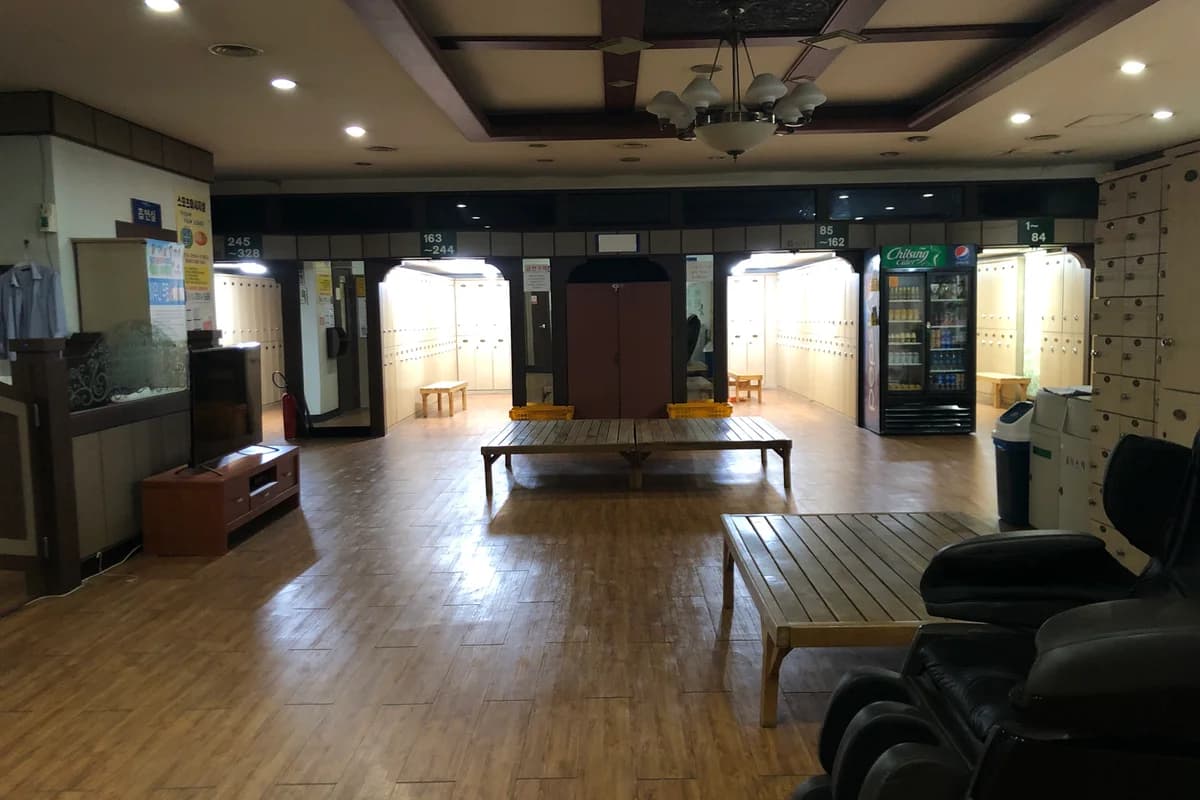
Jjimjilbang for First-Timers: How Korea's Bathhouses Actually Work
Yes, the bath part is fully nude. No, nobody cares. A step-by-step guide to the Korean spa-sauna-sleepover — the sheep-head towel, the scrub that removes a layer of you, which famous venues have quietly closed — and why the neighborhood bathhouse is disappearing even as the tourist jjimjilbang thrives.
The Weekly Dispatch
Korea, curated. Every week.
The best of K-culture, straight from Seoul. Written by people who actually live here.
Free, no spam, unsubscribe whenever.